RPA works best on tasks that are repetitive, rule-based and done on a computer. Nearly every department has some. Rather than a long list of generic ideas, this guide groups 40 practical RPA use cases by function, with what the bot does and where a person stays involved. Use it to spark ideas, then score each against the criteria in our RPA strategy guide.
Key takeaways
- The strongest use cases are high-volume, rule-based and involve moving data between systems.
- Finance, HR, customer service, supply chain and IT teams all have common candidates.
- Add AI where inputs are unstructured; keep people involved in exceptions and judgement calls.
- Check for an API first; use RPA when screens are the only way in.
Finance and accounting
| Use case | What the bot does | Human role |
|---|---|---|
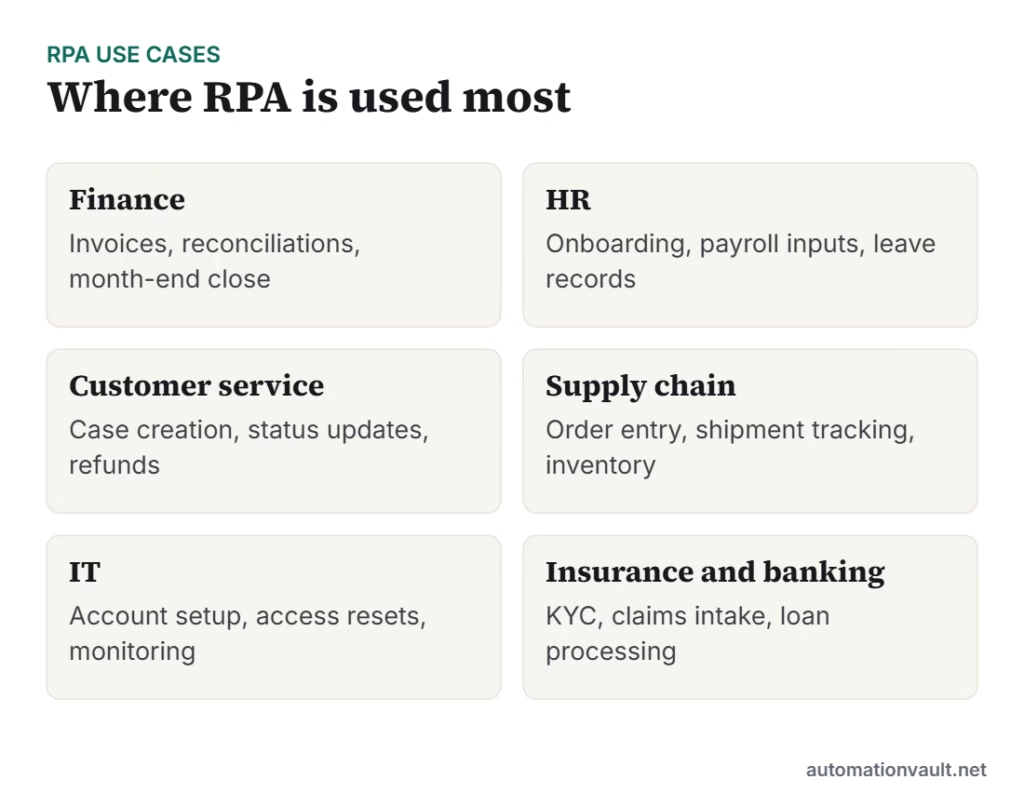
| Invoice processing | Reads invoice data, matches to purchase orders, posts to ERP | Resolve mismatches |
| Bank reconciliation | Matches bank lines to ledger entries | Review unmatched items |
| Expense claims | Checks receipts against policy and flags breaches | Approve exceptions |
| Month-end close | Collects reports, runs checks and updates schedules | Review and sign off |
| Payment runs | Prepares files and sends status updates | Approve payment |
| Tax and statutory filings | Gathers data and fills portal forms | Review before submission |
Human resources
| Use case | What the bot does | Human role |
|---|---|---|
| Employee onboarding | Creates accounts, records and access requests | Welcome and training |
| Payroll inputs | Collects attendance and leave data into payroll | Approve payroll |
| Candidate screening data | Moves applicant data between systems | Interview and decide |
| Leave and attendance updates | Syncs records across HR systems | Handle disputes |
| Offboarding | Revokes access and updates records | Exit conversations |
Customer service and sales
| Use case | What the bot does | Human role |
|---|---|---|
| Case creation | Turns emails and forms into tickets | Resolve complex cases |
| Order status updates | Looks up status and sends updates | Handle complaints |
| Refund processing | Checks eligibility and issues standard refunds | Approve large or unusual refunds |
| CRM data entry | Updates customer records after calls and emails | Relationship management |
| Quote generation | Pulls prices and builds standard quotes | Negotiate and close |
Supply chain and operations
| Use case | What the bot does | Human role |
|---|---|---|
| Order entry | Keys purchase orders from emails or portals into ERP | Resolve exceptions |
| Shipment tracking | Checks carrier sites and updates statuses | Handle delays |
| Inventory updates | Syncs stock levels between systems | Plan replenishment |
| Supplier onboarding | Collects documents and creates vendor records | Approve suppliers |
See our supply chain automation guide for more.
IT and security operations
- User provisioning: create accounts and permissions from an approved request.
- Password resets: verify identity with rules and reset without a ticket.
- Monitoring and reporting: collect system data and compile daily health reports.
- Software licence tracking: compare installed software with licences.
- Backup checks: confirm jobs ran and raise tickets when they did not.
Banking, insurance and healthcare
- KYC checks: gather data from registries, compare with applications and flag mismatches.
- Claims intake: create claims from submitted forms and attachments, then route by type.
- Loan processing: collect data across systems for underwriters.
- Appointment and billing data: move patient scheduling and billing information between systems, subject to privacy rules.
- Policy changes: update records across core systems after approved changes.
Real estate and other industries
Property managers use bots for rent reminders, lease data and maintenance requests; see RPA in real estate. Retailers use them for catalogue updates and order processing, and utilities for meter data and customer billing.
How to choose from this list
- Pick candidates your team already complains about; they are usually high-volume.
- Score each for volume, rules, stability and benefit.
- Check whether an API or workflow tool is simpler; see workflow automation tools compared.
- Start with a process that is visible but low-risk.
- Follow RPA best practices during design, and secure your bots from the start.
Frequently asked questions
What is the best first RPA use case?
Many teams start with invoice processing, data entry between two systems or report generation, because they are frequent, rule-based and easy to measure.
Can RPA handle unstructured documents?
Not on its own. Combine it with document AI or language models; see cognitive RPA and intelligent document automation.
How many processes should we automate at first?
Two or three well-chosen processes are enough to prove value and learn how to support automations.



Leave a Reply