ChatGPT can draft text, explain ideas, write code and organise information, which makes it useful across most jobs. This guide groups practical use cases by area, with example prompts and the limits to watch. It condenses our earlier long list into the uses people actually return to.
Key takeaways
- ChatGPT is strongest at drafting, summarising, explaining and restructuring.
- Give it context, a goal, an audience and a format for better answers.
- It can state wrong things confidently, so verify facts, figures and code.
- Do not paste confidential or personal data unless your organisation permits it.
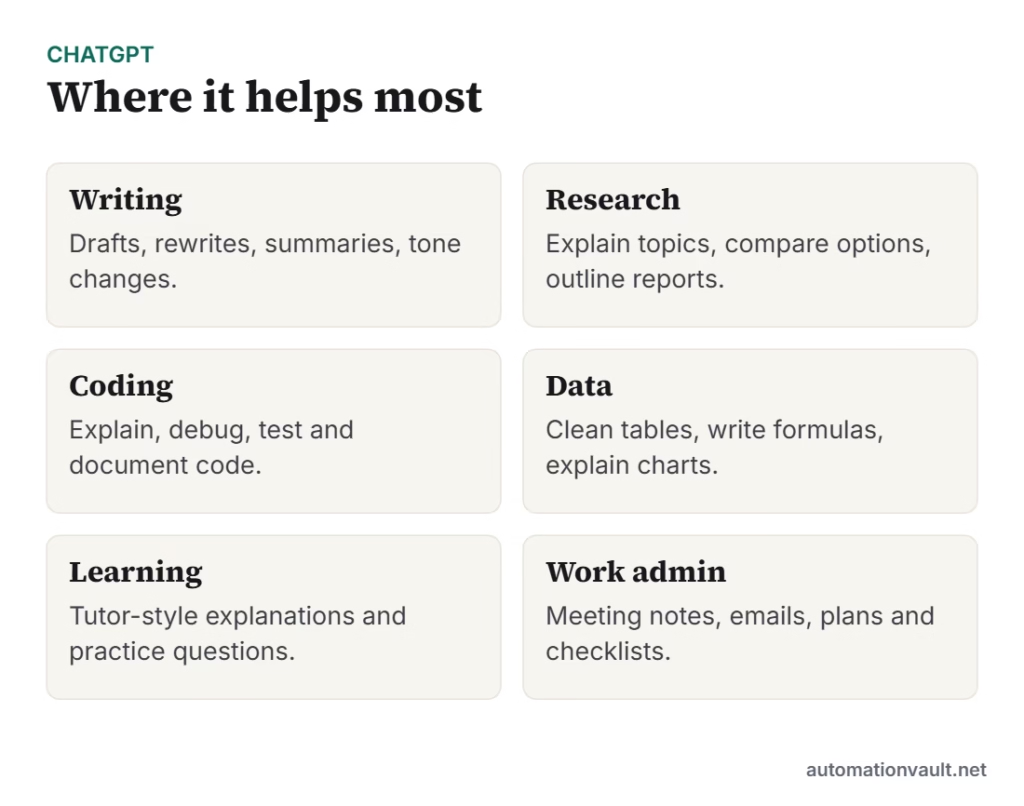
Writing and communication
- Draft emails, reports, job posts and social captions.
- Rewrite text for a different tone or reading level.
- Summarise long documents or threads into key points.
- Translate and check grammar.
Example prompt: “Rewrite this email to be shorter and friendlier for a customer who is waiting on a refund. Keep it under 120 words.”
Research and thinking
- Explain an unfamiliar concept in plain language.
- Compare options in a table with pros and cons.
- Brainstorm ideas, names and angles.
- Outline an article, presentation or plan.
Coding and technical work
- Explain what a block of code does.
- Suggest fixes for error messages.
- Write unit tests and documentation.
- Convert code between languages.
- Write SQL, regex and spreadsheet formulas.
Data and spreadsheets
- Clean and reformat lists.
- Explain a formula or suggest a better one.
- Describe trends in a table you provide.
- Turn messy notes into structured tables.
Learning and study
- Ask for step-by-step explanations and analogies.
- Create quizzes and flashcards from your notes.
- Request practice problems and feedback on answers.
Business and automation
- Draft SOPs, checklists and meeting agendas.
- Classify, extract and summarise support tickets or documents; see intelligent document automation.
- Generate first-draft content for marketing campaigns.
- Power chat assistants for customer support; see contact center automation.
How to write better prompts
| Element | Example |
|---|---|
| Role / context | “You are an HR coordinator writing to new hires.” |
| Task | “Draft a welcome email.” |
| Audience and tone | “Friendly, professional, non-technical.” |
| Format and length | “Three short paragraphs and a checklist.” |
| Constraints | “Do not promise remote work.” |
For more on how to structure requests, see OpenAI’s prompting strategies.
Limits and cautions
- It can invent facts, sources and quotes (“hallucinations”). Check anything important.
- Knowledge may be out of date unless browsing or search is enabled.
- It can reflect bias in its training data.
- Never share passwords, customer data or trade secrets unless approved.
- Disclose AI use where rules or ethics require it.
To understand what powers tools like this, read LLMs vs generative AI and generative vs predictive AI.
Prompt examples you can adapt
- Summarise: “Summarise the text below in five bullet points for a busy manager, then list any decisions needed.”
- Explain: “Explain how compound interest works to a high school student, with one numerical example.”
- Plan: “Create a two-week study plan for learning basic SQL, 30 minutes a day.”
- Code: “Write a Python function that removes duplicate rows from a CSV and explain each step.”
- Review: “Read my draft and list the three weakest arguments and how to fix them.”
A simple review habit
Treat every answer as a first draft. Check names, dates, numbers and links against a trusted source, run any code in a safe environment and edit the wording so it sounds like you. Asking the model to list its assumptions or to show its steps often makes mistakes easier to spot. Used this way, ChatGPT saves time without lowering quality.
Frequently asked questions
What is ChatGPT best used for?
Drafting and editing text, summarising, explaining topics, brainstorming and helping with code. Always review the output.
Can ChatGPT be wrong?
Yes. It can produce confident but incorrect answers, so verify important facts, numbers and code.
Is it safe to paste company data into ChatGPT?
Only if your organisation’s policy and the plan’s data controls allow it. When in doubt, remove sensitive details.





Leave a Reply