
Customers expect fast answers at any hour, while contact centers face high volumes, staffing pressure and rising costs. Automation addresses this by handling routine requests, supporting agents during live conversations and removing manual work after each contact. This guide combines our earlier posts on contact center and customer service automation into one practical overview.
Key takeaways
- Automate routine, high-volume requests first, such as order status, password resets and appointment changes.
- Agent assist and post-call automation often deliver value faster than full automation of conversations.
- Always keep an easy path to a human, especially for complaints and complex cases.
- Measure resolution, satisfaction and handling time, not only deflection.
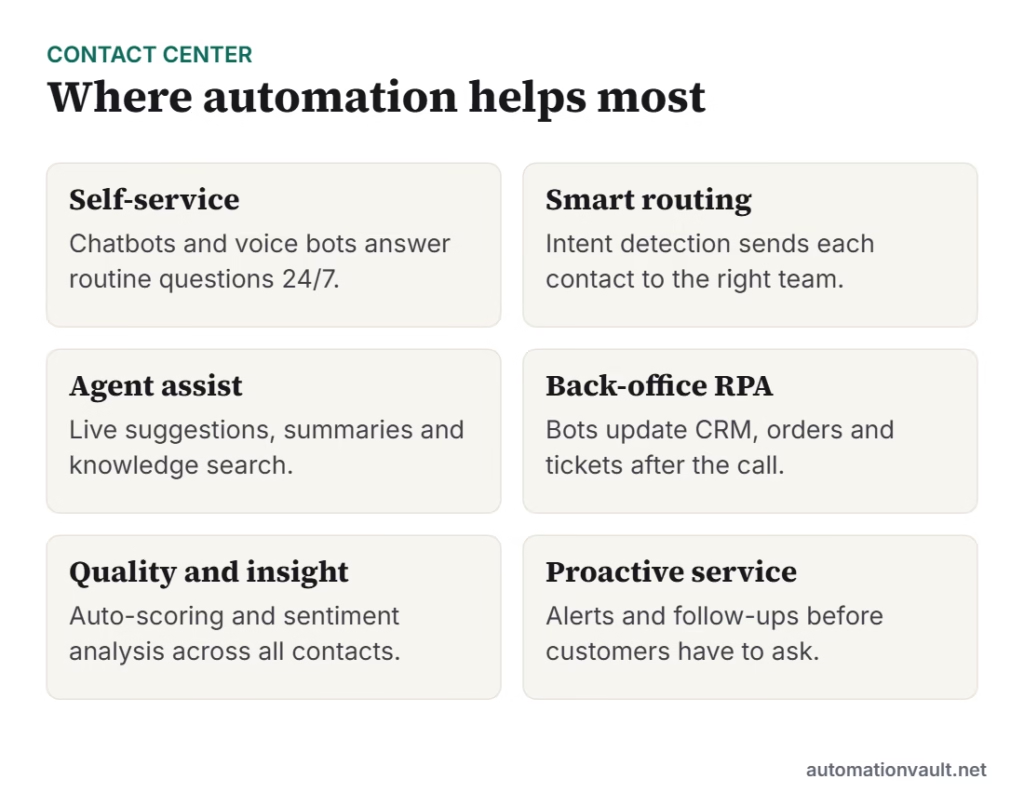
Key automation areas
Self-service and chatbots
Chatbots and voice bots resolve common questions without an agent. Modern assistants built on large language models handle more varied phrasing than older rule-based bots, but they need grounded knowledge sources and guardrails to avoid wrong answers.
Intelligent routing
Systems detect intent and urgency from text or speech and send the contact to the best-skilled team, cutting transfers and wait times.
Agent assist
During a conversation, tools suggest answers from the knowledge base, draft replies, surface customer history and write call summaries. This shortens handling time and reduces after-call work.
Back-office automation
Software robots complete follow-up tasks such as updating the CRM, creating refunds or changing addresses across systems that do not integrate. See our RPA strategy roadmap and RPA as a service.
Quality, analytics and proactive service
Speech and text analytics can review every contact for sentiment, compliance and trends, rather than sampling a few calls. Proactive notifications, such as delivery delays, prevent contacts before they happen.
Trends to watch
- Generative AI assistants for both customers and agents.
- Voice AI that handles natural phone conversations.
- Unified, omnichannel views of each customer across chat, email, voice and social.
- Real-time translation and transcription.
- Stronger focus on data privacy, consent and transparency about talking to AI.
How to implement
- Analyse contact reasons and pick the top few high-volume, low-complexity types.
- Clean up your knowledge base, since bots and assist tools are only as good as the content.
- Pilot with a small group, measure and refine.
- Design clear handoffs to humans with full context.
- Train agents to work with the tools and gather their feedback.
- Review accuracy, bias and compliance regularly.
Metrics that matter
| Metric | Why it matters |
|---|---|
| First-contact resolution | Shows whether problems are really solved |
| Customer satisfaction (CSAT) | Reveals experience quality |
| Average handling time | Efficiency, but never at the cost of quality |
| Containment/deflection rate | Share handled without an agent; check satisfaction alongside |
| Agent attrition | Better tools should reduce burnout |
For broader context on AI planning, see AI and automation together.
Example: automating an order-status flow
“Where is my order?” is often the single biggest contact reason for online retailers. A bot connected to the order system can answer instantly by asking for an order number, checking the carrier status and replying with the date. If the parcel is late, it can offer a refund or reship option under set rules, and a robot can then create the ticket and update the record. The customer gets an answer in seconds, and agents only see the exceptions.
Risks and how to manage them
- Wrong or invented answers: ground bots in approved content and test with real questions.
- Frustrating loops: let customers reach a person with one clear action.
- Privacy: limit the personal data bots can see, and follow consent and retention rules.
- Bias and tone: review transcripts regularly to spot unfair or unhelpful behaviour.
- Agent concerns: explain how tools will change roles and invite feedback early.
A steady cycle of review, adjustment and training keeps automation useful as products, policies and customer needs change.
Frequently asked questions
What is contact center automation?
It is the use of software, bots and AI to handle or speed up customer contacts and the tasks around them, such as routing, answering, summarising and updating records.
Will automation replace contact center agents?
It reduces repetitive work, but complex and emotional cases still need people. Many centers redeploy agents toward higher-value support.
What should I automate first?
Start with high-volume, simple contact types with clear answers, and with after-call tasks that agents repeat every time.







Leave a Reply